How to turn a video into a Telegram circle
Updated August 6, 2026
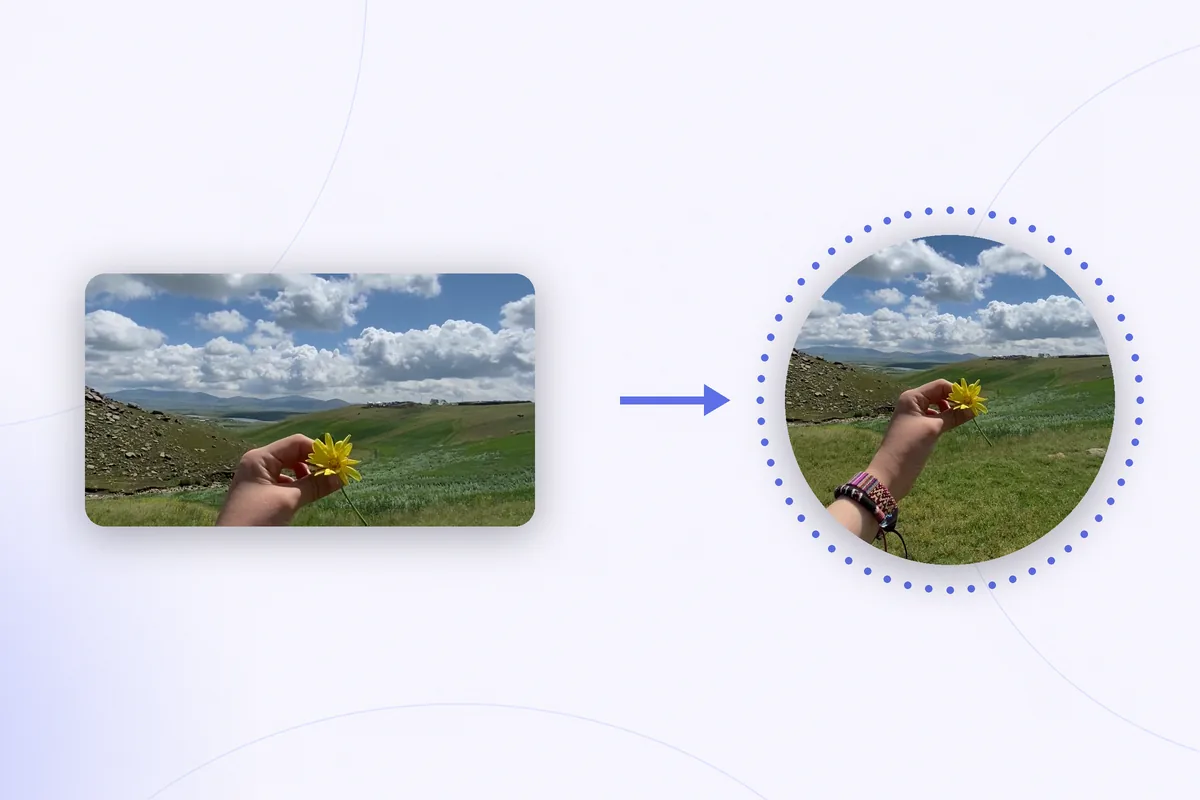
You already have the clip. It is sitting in your camera roll — filmed sideways, filmed vertically, or forwarded to you by somebody else — and you want it to appear in a chat as one of those round videos. Telegram gives you no obvious way to do that. Round messages are recorded live, with a finger held on the button, and there is no send this file as a circle option anywhere in the app.
There are ways around it, and they are not equally good. This guide covers what a conversion actually involves, what the converter bots do with your video in exchange for doing it, and the fairly common case where the whole detour turns out to be unnecessary.
What converting actually means
Three things have to be true before a file counts as a Telegram video message, and only two of them are about the video.
- It has to be square. Telegram's Bot API describes a video message as an MP4 video as defined by the sender, rounded square, up to 1 minute long. Width equals height; there is no other accepted shape.
- It has to be short. One minute, and the limit behaves as a hard stop rather than a suggestion.
- It has to be sent as a video message. This is the part that surprises people. Roundness is not something inside the file — it is a flag the sending client attaches, documented in Telegram's protocol as a round_message flag on the video attribute. The circle you see in a chat is a mask that Telegram draws because the flag is set.
So you can produce a flawless square 40-second MP4, attach it in a chat, and watch Telegram display it as an ordinary rectangular video — because nothing in the file itself says it is round. More on how much of the format is actually specified is in the reference on Telegram video note specs. That third requirement is the reason converter bots exist at all.
Route 1: a converter bot
The mechanism is simple. You send your video to a bot in a Telegram chat, the bot crops and re-encodes it on its own server, and it sends the result back as a genuine video message — which you can then forward into any conversation. Bots can do this because they send through the API, where setting the round flag is a normal, documented thing to do.
It works. What you are trading for it is worth being clear-eyed about:
- Your video leaves your phone. It is uploaded to a server run by someone you do not know, under terms you cannot read. For a clip of a cat that is a non-issue; for anything personal it is a decision rather than a detail.
- You do not choose the crop. Most bots take the centre of the frame. If your subject is off to one side, the bot will not notice.
- The file is compressed twice — once by the bot, once again by Telegram on the way in.
- Limits vary. Watermarks, queues during busy hours, and length caps on the free tier are all common.
If the destination genuinely has to be a Telegram video message, and the clip is nothing you would mind a stranger having, a bot is the shortest path there is. Prepare the file first, though — the next section — so there is less for the bot to get wrong.
Route 2: prepare the clip yourself first
Whatever ends up doing the conversion, it will do a better job with a clip that is already the right shape and length. All of this is possible in the Photos app on an iPhone:
- Trim it under a minute. Open the clip, tap Edit, and drag the handles at either end of the timeline. Aim for fifty-something seconds rather than fifty-nine — re-encoding can shift the duration by a hair.
- Crop it square. In the same editor, open the crop tool, choose the Square aspect ratio, and position the frame. Crop, never squeeze: a 16:9 clip squashed into a square turns every face into a different face.
- Keep the subject centred and away from the edges. The visible area is the circle inscribed in your square, so about a fifth of the frame — all four corners — is guaranteed to disappear behind the mask.
- Listen to it once. Circles are a talking-head format. Clean audio does more for a round message than any amount of resolution.
- Save a copy rather than overwriting the original, so a bad crop costs you nothing.
Now the file is square, short, and framed the way you want. Whichever route sends it, it has nothing left to ruin.
Route 3: when you do not need Telegram to do it at all
Before uploading anything to a bot, it is worth asking what you actually want. A message that plays as a circle inside a Telegram chat? Or the round look — the video itself, round, on a background, ready to post?
If it is the second one, the flag problem evaporates. Outside Telegram nothing draws a mask for you, so the circle has to be part of the picture: the round crop and whatever sits behind it are baked into the exported file. That file then plays as a circle everywhere — Stories, Reels, TikTok, WhatsApp, iMessage, a website — because there is nothing left to interpret.
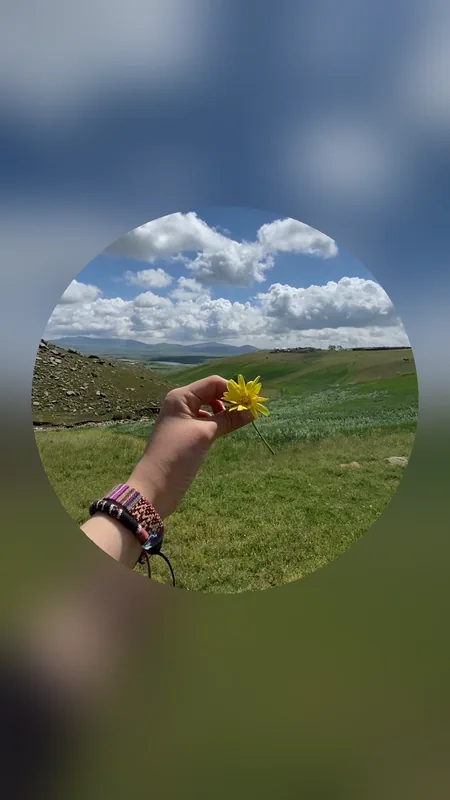
The steps are the same in any editor that can do it: import the video, set the size and position of the circle over the frame, choose what fills the space around it — a blur of the video itself, or a flat colour — and export as a square or in 9:16. No upload, no queue, no re-crop by a stranger, and the length limit stops applying, because a minute is Telegram's rule and not the format's.
Rondo does this on the phone: import any video from Photos, drag the circle to the size and spot you want, pick a blurred or coloured background, and export a square or a ready-to-post 9:16 clip. Recording new circles in the app works too.
Get Rondo for iPhoneOne honest caveat: a circle built this way is an ordinary video file. Send it into a Telegram chat and it appears as a normal video, not as a round message — that flag is still only set by whatever sends it.
Which route fits which goal
| What you want | Best route |
|---|---|
| A round message in a Telegram chat, filmed now | Record it in the app — see recording a circle on iPhone |
| A round message from a clip you already have | Prepare it square and short, then hand it to a converter bot |
| A round video for Stories, Reels or TikTok | Build it yourself and export 9:16 — the Story workflow |
| A circle someone sent you, cleaned up | Save it, then remove the white corners |
FAQ
Can I send an existing video as a circle in Telegram on iPhone?
Not with the app on its own. Video messages are recorded in the moment, and there is no action that turns a file already in your library into one. Converter bots are the standard workaround, and they work because bots send files through Telegram's API, where marking a video as round is a documented option.
Do converter bots keep my video?
That depends entirely on whoever runs the bot, and there is no way to verify it from inside a chat. Treat every conversion bot as an upload to a stranger's server and decide accordingly — obviously fine for something you would post publicly anyway, worth a second thought for anything else.
What size should the square be?
There is no required number. Telegram documents the size of a video message as its diameter as defined by the sender, so the value depends on which client recorded or sent it. Match the resolution of your source clip rather than chasing a figure you read somewhere.
Why does my square video still appear rectangular in the chat?
Because roundness is a flag the sending client sets, not a property of the MP4. A square file attached in the normal way is still an ordinary video attachment — Telegram only draws the circular mask when the message is sent as a video message.
Can a circle be longer than one minute?
As a Telegram video message, no — the minute is a hard limit of the format. As a round video for anywhere else, yes: once the circle is baked into an exported file, it is just a video, and Telegram's rules no longer have any say over it.